Hot Wheels Unlimited
- 4.6
- Rating
- 50.00M
- Installs
- Free
- Price

 Analysis by App-foxy
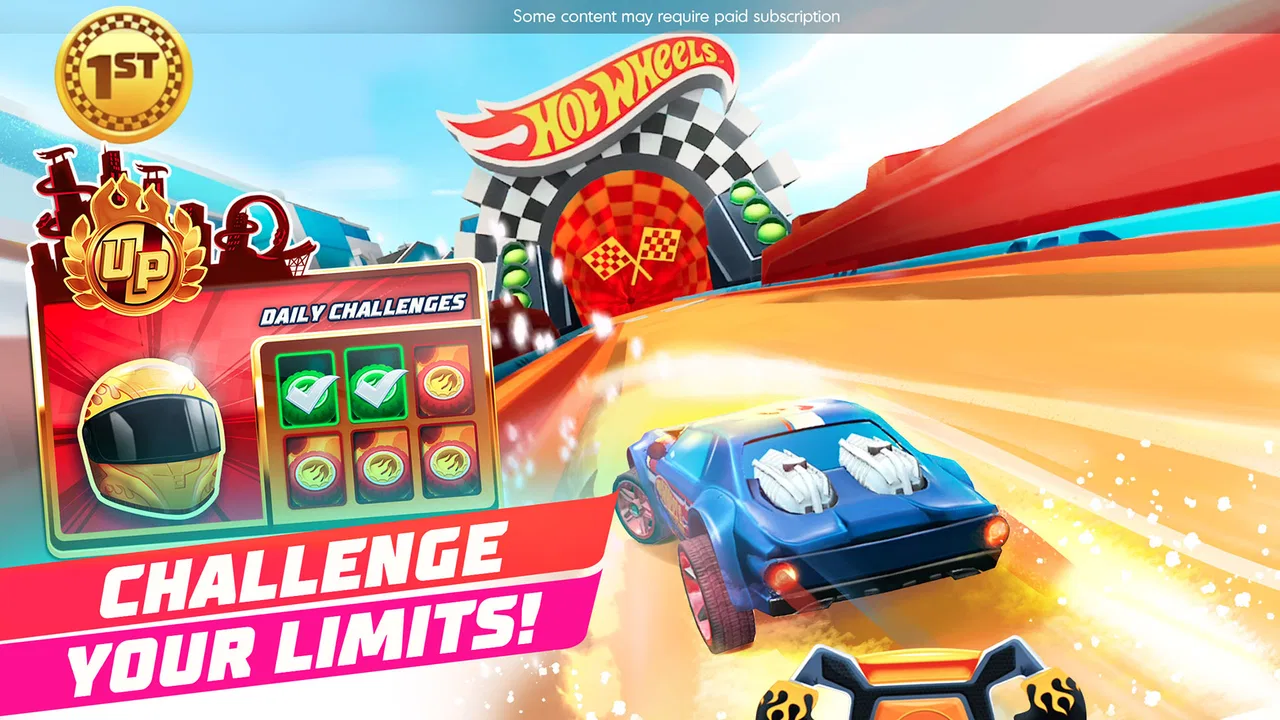
I found Hot Wheels Unlimited easy to understand within minutes, but it has more going on than a simple tap-to-race game. It is a free racing game from Budge Studios built around Hot Wheels cars, tracks, stunts, and monster trucks, with a bright style aimed at children while still giving parents a clear reason to try it together with them. My first impression was that it wants to make racing feel creative rather than purely competitive: you are not only trying to reach the finish line, you are also learning how the track pieces affect the ride.
That distinction matters. If you want a serious driving simulator, realistic handling, or a deep career mode, this is not the right direction. If you want a playful game that a child can pick up quickly and gradually explore, it makes much more sense. I would especially recommend it for families looking for short, hands-on play sessions where building a track is almost as entertaining as driving on it.
What to expect when you start playing
The game presents itself as a child-friendly racing experience, and the Everyone age rating fits the tone. The cars, tracks, jumps, and monster trucks are presented with an energetic toy-box feel instead of realism. That makes the controls less intimidating for a first-time player. You do not need to understand racing lines, tuning charts, or complicated vehicle statistics before beginning.
You May Also Like

 Blood Strike: 2.5 Anniversary
Blood Strike’s Loadouts Turn Every Drop Into a Tactical Gamble
A close look at Blood Strike’s custom loadouts: how fast access to signature weapons reshapes its battle royale rhythm, rewards preparation, and narrows the gap between fights.

 Pandora - Music & Podcasts
Pandora’s Music Is Easy to Start, but Harder to Recover
Pandora’s strength is its low-effort path from a seed to a station. Its weak spot is how much confidence it asks you to place in connection, setup, and quiet recovery.

 8 Ball Pool
 Is Built on Rivalries, Rematches, and Routine
A close look at the rivalries, rematches, shared routines, and unanswered safety questions that turn a quick pool match into a persistent mobile community.

 Samsung Music
’s Quiet Strength Is Playing What You Already Own
Its reach comes less from spectacle than from dependable access to a personal library. That simplicity is both the app’s strongest retention engine and its ceiling.

 AccuWeather: Weather Radar
AccuWeather Review: A Quick, Clear Forecast for Everyday Decisions
For everyday plans, the best forecast is the one you can understand quickly. AccuWeather makes rain timing, radar, and local conditions easy to act on, with a few trade-offs.

 Hill Climb Racing
Why Hill Climb Racing Still Turns Crashes Into One More Run
A tiny car, a bumpy hill and one more upgrade: Hill Climb Racing keeps resurfacing because its simple chaos makes every near-miss feel personal.
More From Our News Desk



My advice is to treat the first session as a guided experiment rather than a competition. Choose a car, enter a track, and pay attention to how the vehicle responds to slopes, ramps, loops, and sharp changes in direction. The most useful early lesson is that a track can look exciting while still being difficult to drive. A child may build the biggest collection of jumps immediately, then discover that the vehicle keeps losing its rhythm. That is not a failure; it is the game quietly teaching cause and effect.
The track-building element is the part that separates this from many ordinary racing games for kids. In a typical mobile racer, the course is already decided and the main task is to steer well. Here, the player can think like a designer. A simple track with a few well-placed features can be more enjoyable than a chaotic course packed with every available idea. I found that this gave the game a second kind of play: driving for speed and building for experimentation.
There is also a nice difference between playing alone and playing beside a younger child. Alone, I naturally focused on making a cleaner route and testing how quickly I could complete it. With a child, the conversation becomes more interesting: which ramp should come first, where should the monster truck section go, and why did the car fail to land? That makes the game useful for shared play without requiring the adult to master a complex control system first.
The main limitation is that the colorful presentation can make the experience seem deeper than it feels after repeated sessions. The first discoveries are satisfying, but players who expect a large simulation, advanced car customization, or a long competitive ladder may eventually want something more demanding. I see this as a creative toy with racing attached, not as a replacement for a full console-style driving game.
Who will enjoy it most
I think it works best for children who like cars but also enjoy making things. A child who only wants to watch a vehicle move may lose interest quickly, while a child who likes changing a route, trying a jump again, or showing a parent a new creation has more reasons to return. The game is also suitable for a first introduction to racing because mistakes usually feel playful rather than punishing.
Older players can still enjoy it as a quick break, especially if they approach the track editor as a small puzzle. However, adults looking for precise steering, realistic crashes, or meaningful mechanical upgrades should choose a more serious racing title. The simplified style is a strength for accessibility, but it is also the reason experienced racing fans may find the driving too light.
First setup and the quickest route to a useful first session
Installing it is straightforward because the game is free to start. The current version is 2026.1.0, and it supports devices running Android 5.1 or later. I would still begin by checking that the device has comfortable storage and that the child has enough uninterrupted time for the initial launch, because racing and track creation are more enjoyable when the session is not rushed.
The game includes in-app purchases ranging from $4.99 to $59.99 per item. That is the detail I would explain before handing the device to a child. Free installation does not mean every possible item or option is included without cost. A parent should decide in advance whether purchases are allowed, and a child should know that a locked-looking choice is not automatically something they can buy. This conversation is more useful than simply saying “be careful,” because the colorful design can make optional content feel like part of the normal flow.
I would also recommend starting with an adult nearby, not because the game is difficult, but because the first session is a good moment to establish how the menus and purchase prompts should be handled. Once the child understands the basic routine, the game becomes much easier to leave in their hands. The age rating is Everyone, yet supervision around spending is still sensible for any free-to-start mobile game.
When the opening choices appear, resist the temptation to explore everything at once. Pick one car and build a short course with a clear beginning, a manageable middle, and a finish. This gives you a reference point. If the first track is overloaded with jumps and turns, it becomes hard to tell whether a problem comes from the car, the controls, or the design.
A practical setup method is to create the track in stages. Place the basic route first and test it. Add one stunt feature and test again. Then make one change at a time. This is a small habit, but it helps a child understand what each alteration does. It also prevents the common first-session frustration of making a spectacular course that cannot be completed consistently.
The first successful action should be simple
For a first meaningful success, I would not aim for the fastest possible run. I would aim to complete a short track without rebuilding it halfway through. That success teaches three things at once: the car can be controlled, the track pieces have a practical purpose, and finishing is more useful than making the course look impressive.
Start with broad, readable sections and leave enough space for the vehicle to settle after a ramp. If the next obstacle arrives immediately after a landing, the player has little opportunity to correct direction. Spacing is therefore more important than decoration. This is one of the first non-obvious lessons I took from the game: a track becomes fun when the player can understand why a mistake happened.
After completing the course, repeat it without changing anything. The second run is where a child begins to notice timing. A jump that seemed random on the first attempt may become manageable once the player knows when to prepare. That repeat run also creates a stronger sense of achievement than constantly replacing the track with a new one.
If the car keeps failing at one point, change the track before blaming the controls. Move the obstacle farther away from a sharp turn, reduce the number of consecutive stunts, or give the vehicle a longer approach. This workflow is especially useful for younger players because it turns frustration into a design decision. Instead of saying “I cannot do it,” they can ask, “What can I change to make it work?”
Monster trucks add another reason to vary the style of the course. A route that feels suitable for a small racing car may not create the same kind of fun with a larger, heavier-looking vehicle. I would use monster trucks for playful obstacle testing rather than assuming every track needs to be optimized for every vehicle. The trade-off is clear: a carefully balanced course is satisfying, while a deliberately chaotic one is better for laughter and experimentation.
Common confusion during the first few races
The first confusion is usually the difference between building and driving. A child may expect a newly assembled track to behave exactly as imagined, but the game is asking for two separate skills. Building is about arranging possibilities; driving is about responding to the finished route. Keeping those phases separate makes the experience less overwhelming. Build a small course, drive it, then return to editing with a specific problem in mind.
Another source of confusion is assuming that the most dramatic track is automatically the best track. Large jumps and repeated stunts look exciting in the editor, but they can make the route difficult to read. I found that a course with one memorable feature and several calm sections often produced more successful runs than a course filled with constant action.
Players may also wonder whether they should keep changing cars when a run goes badly. My recommendation is to keep the same car for several attempts first. Changing both the vehicle and the track at the same time removes the chance to learn what actually improved the result. Use the same setup for a few runs, make one adjustment, and only then try another vehicle if you still want a different feel.
The free-to-start model can create a different kind of uncertainty: whether a locked option is necessary for progress. In my experience, the best early approach is to focus on the basic driving and building loop before worrying about every available choice. A child who understands how to make and complete a track already has the central experience. Optional purchases should be considered extras, not a requirement for learning the game.
There is also a practical question about attention span. A younger player may enjoy building for several minutes and then want to move on immediately after one race. That is normal for this type of game. I would not force a long session or insist on perfecting every course. A short successful run followed by a break can leave a better impression than repeated attempts after the player has become tired.
How it compares with ordinary mobile racers
Compared with endless racers, this game gives the player more ownership of the route. Endless formats are often better when you want instant action and a score-chasing loop. Hot Wheels Unlimited is better when you want the child to make a choice before the race begins. The extra creative step slows the pace slightly, but it also gives the session a clearer purpose.
Compared with realistic racing games, the controls here are more approachable and the presentation is less concerned with technical accuracy. That makes it a stronger choice for younger children or casual family play. The cost of that accessibility is depth: players who enjoy tuning, realistic braking, detailed tracks, or strict competition will probably find a dedicated racing simulator more rewarding.
Compared with construction or sandbox games, the track editor gives creativity a clear target. You are not building an entire world; you are building a route that should eventually be driven. I like that limitation because it keeps the activity focused. On the other hand, children who want unrestricted building may prefer a broader sandbox where vehicles are only one small part of the experience.
The strongest comparison is therefore not about graphics or speed. It is about whether the player wants to consume a ready-made challenge or shape one first. If the answer is the latter, this game has a distinct reason to exist. If the answer is the former, a simpler pick-up-and-play racer may feel more satisfying.
Next steps for getting more from each session
Once the first short course works, introduce a small personal challenge. Try to make a route that includes one exciting feature but remains easy enough to finish twice in a row. Then create a second version by moving only that feature. This turns the game into a simple experiment and helps children see how design choices affect play without needing formal instructions.
A useful family routine is to let one person build and another drive. The builder must think about clarity and fairness, while the driver provides immediate feedback about difficult sections. Then switch roles. This works particularly well because the game’s appeal is divided between making the track and mastering it. It also avoids the situation where one child controls every part of the session.
For solo play, keep a small collection of successful tracks instead of constantly replacing them. Replaying an older course after a break can reveal progress more clearly than moving to a new challenge every time. You may notice that a turn that once caused trouble is now easy, or that a previously frustrating jump only needed a better approach.
I would also use the game as a low-pressure way to talk about planning. Ask what the player expects a ramp to do, where the vehicle might land, and what could make the finish easier to reach. These questions do not turn play into homework; they simply make the building process more thoughtful. The game is at its best when the child remains in control of the idea.
Its popularity is substantial, with an average rating of 4.4 from around 149 thousand ratings and more than 50 million installs. Those figures suggest that many families have found the basic formula approachable, but they should not replace personal judgment. A popular children’s racer can still be the wrong fit for a child who dislikes experimentation or for a parent who wants a completely purchase-free experience.
My recommendation after using it
I would recommend Hot Wheels Unlimited to a first-time young player who likes cars, ramps, and making small creations. The path from installation to a satisfying result is reassuring: choose a car, assemble a modest track, complete it once, and improve one section. That loop is clear enough for beginners and flexible enough to support shared play with an adult or sibling.
I would skip it if your priority is realistic driving, a serious competitive structure, or extensive mechanical customization. I would also think carefully before installing it on a child’s device if in-app purchases need to be completely off the table. The free entry is helpful, but the presence of optional items means the family should set expectations early.
For me, the best part is not simply racing a recognizable toy-style car. It is seeing a failed run become useful information about the track. That gives the game a gentle learning curve and a reason to return after the novelty of the first race fades. It succeeds as a playful track-building racer, not as a realistic driving simulator, and judging it by that standard makes its strengths much clearer.
In the end, I see it as a good recommendation for short, creative sessions and a particularly comfortable introduction to racing games for children. Start small, test each change, and let the player celebrate completion before chasing speed. Used that way, it offers more than a colorful car ride: it gives beginners a simple space to design, try, adjust, and succeed.
FAQs for Hot Wheels Unlimited
01What is the main objective of Hot Wheels Unlimited?
Hot Wheels Unlimited is designed to provide users with an exciting racing experience. The main objective is to build tracks, race through them, and complete various challenges. Players can unlock new cars, compete in different modes, and enhance their racing skills while enjoying the thrill of high-speed action.
02Can Hot Wheels Unlimited be played offline?
Hot Wheels Unlimited offers both offline and online gameplay options. Players can enjoy building tracks and racing in single-player mode without an internet connection. However, for features like multiplayer competitions and updates, a stable internet connection is required to access the full range of content.
03Is Hot Wheels Unlimited suitable for children?
Yes, Hot Wheels Unlimited is designed to be family-friendly and suitable for children. The game features vibrant graphics, easy-to-understand controls, and engaging content that appeals to younger players. However, parental guidance is recommended due to in-app purchases and online interactions in multiplayer mode.
04Are there in-app purchases in Hot Wheels Unlimited?
Hot Wheels Unlimited includes in-app purchases that allow players to buy additional cars, track pieces, and other enhancements. While the game is free to download, these purchases can enhance the gaming experience. Players should be aware of these options and manage settings to prevent unintended purchases, especially for children.
05What devices are compatible with Hot Wheels Unlimited?
Hot Wheels Unlimited is available for both Android and iOS platforms. It requires a device with sufficient processing power and memory to run smoothly. Users should check the specific system requirements on the app store to ensure their device is compatible and can handle the game's graphical and processing demands.
Pros
- Exciting track-building feature for creativity.
- Diverse car collection with unique abilities.
- Engaging challenges enhance gameplay longevity.
- Intuitive controls suitable for all ages.
- Regular updates with new content and events.
Cons
- In-app purchases can become costly.
- Requires stable internet for optimal play.
- Limited customization options for cars.
- Some levels may feel repetitive.
- Graphics could be demanding on older devices.

Hot Wheels Unlimited
Gallery